How to Change IB broker Valetax
To move IB broker Valetax please follow these steps:
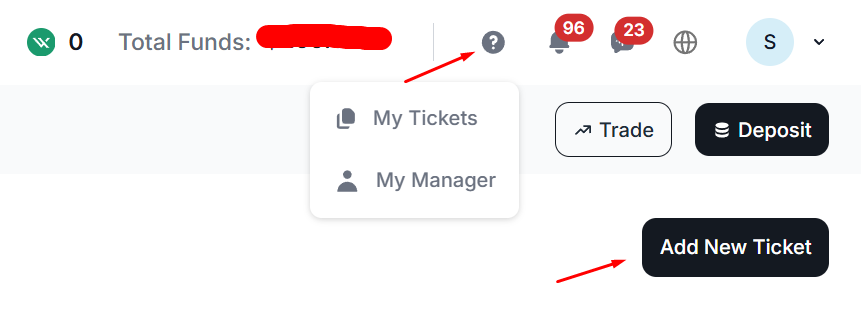
- Login to the Valetax member area then select the "My Tickets" menu, then click the "Add New Ticket" button as shown in the following image:.
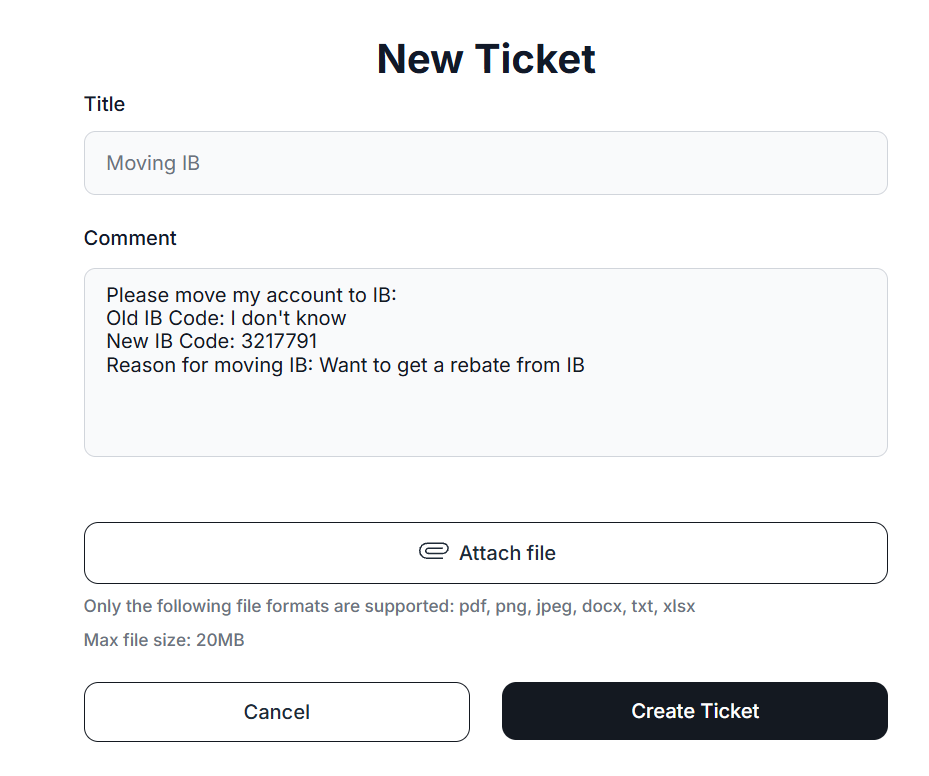
- Fill in the support ticket as follows:
Title: Moving IB
Fill in the ticket in the comments section:
Please move my account to IB:
Old IB Code: I don't know
New IB Code: 3217791
Reason for moving IB: Want to get a rebate from IB
The ticket format will look like the image below. Then, click the "Create Ticket" button:
- You simply wait for a response from the Valetax support team, which is usually processed within 2x24 hours.
- After the transfer is successful, please validate the account in the PipsbackFX member area. If validation has already failed, you can revalidate or contact our support team.