How to Get Elev8 Rebates for Existing Account
To transfer your Elev8 account to our IB, please follow these steps:
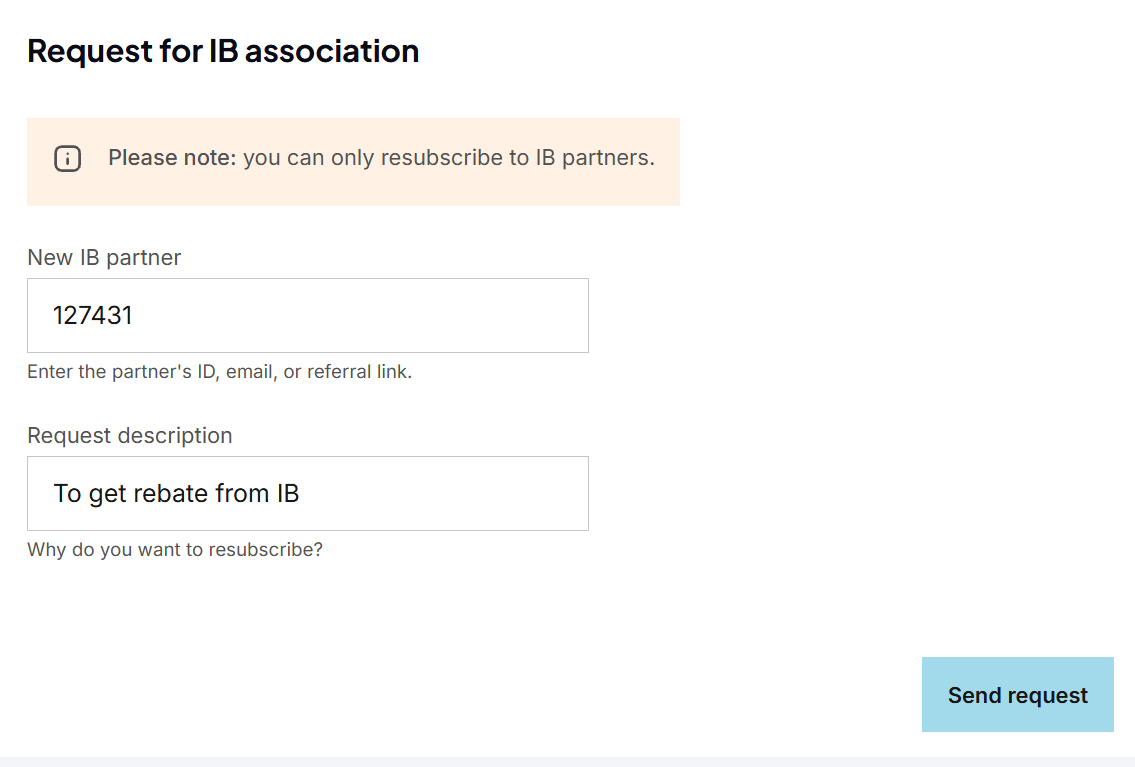
- Fill out the IB transfer request form here
(log in using your Elev8 account). In the "New IB Partner" field, enter our IB code: 127431
- In the "Request description" field, enter: I want to receive rebates from this IB
as shown in the image below:
- Click the "Send request" button and wait for confirmation that your IB transfer request has been approved.
- Once you have received confirmation that your trading account has been successfully transferred under our IB partnership, please validate your account in the MyPipsbackFX member area. To do this, go to the "Broker Account" menu and select "Trading Account Validation", if you are not yet a member, please signup here for free first.